The 5% of ChatGPT Ads Tracking
 Carlos RomeroDirector of Paid Media
 Marcos CiarrocchiCo-Founder
Visits to OpenAI's Ads Manager Went From Under 0 to 351K in Six Months
Summary
ChatGPT is becoming a new source of website traffic, but measuring where the traffic is coming from and separating paid ChatGPT Ads from organic ChatGPT referrals requires the right tracking setup.
This guide covers how ChatGPT traffic appears in GA4, how to use static and dynamic UTM parameters for paid campaigns, and how to complement traffic measurement with the OpenAI Pixel and Conversions API.
Measurement platforms like Google Analytics provide a dedicated way to measure and analyze organic traffic from popular AI assistants. Since May 2026, there is a new “AI Assistant” channel in the Default Channel Group reports. (Source)
The update included changes to the traffic source dimensions. For example, there is a new medium and campaign value tagged as “ai-assistant” that is automatically assigned when the referrer matches a recognized AI Assistant like ChatGPT, Claude, or Gemini. (Source)
These new features help you monitor how Generative AI traffic affects websites by tracking user clicks and comparing this traffic to other channels like organic search.
Key Takeaways:
Since May 2026, GA4 has an "AI Assistant" channel that tags organic referrals from ChatGPT, Claude and Gemini automatically.
Paid ChatGPT Ads traffic needs your own UTMs. Use static source and medium on every ad, and add the dynamic ID macros that launched in August 2026.
In our testing, 92% to 96% of tagged ChatGPT Ads clicks showed up in GA4 as paid sessions, on a separate row from organic ChatGPT traffic.
OpenAI's macros return IDs, not names. Set broad parameters at the campaign level and override them at the ad group or ad level when you need more detail.
Track conversions with the OpenAI Pixel and the Conversions API together, and send the same event ID through both so nothing is counted twice.
Use UTM-tagged traffic and conversions in GA4 as the source of truth. Last-touch attribution undercounts a channel people use to research.
Why is it important to track AI Assistants traffic?
- Discovery. AI platforms have quickly become a primary channel for discovering solutions. Consumers are increasingly turning to AI assistants to compare vendors, evaluate brands, and learn.
- High-intent Visitors. Users researching solutions in AI Assistants are closer to making a decision, so their behavior is more oriented to conversion. This means their session typically should have a higher engagement rate and conversion value.
- Accurate Attribution. Without dedicated tracking, AI referrals could get buried in general referral or direct traffic. This could generate a blind spot for brands on how AI is impacting the pipeline.
How are ChatGPT Ads measured?
OpenAI officially started testing advertising back in February 2026. Since then, the platform has been evolving nonstop. Since launch, ChatGPT Ads have supported manual UTM tracking parameters by adding them in the landing page field.
Manual setup is the most common method marketers use to measure traffic from paid sources. It might not be the most convenient, but it is effective. The typical tags are source and medium.
For example:
utm_source=chatgptutm_medium=cpc

Dynamic Tracking Parameters
Dynamic URL parameters and macro tracking were introduced in early August 2026, allowing advertisers to automatically pass tracking values and parameters through ad clicks. Keep in mind OpenAI passes unique identifiers like ad group IDs, not the actual names set up in the platform.
Available Dynamic ID Macros:
{campaign_id}{ad_group_id}{ad_id}{ad_account_id}
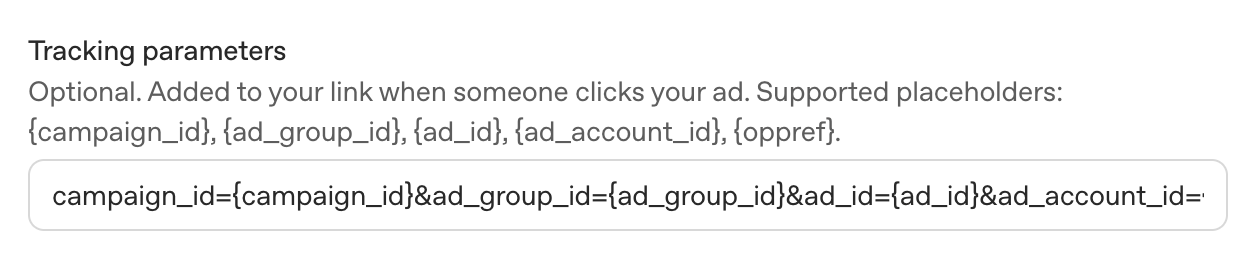
Dynamic and static UTM parameters can be combined in ChatGPT Ads. Static parameters like source and medium remain the same every click, while dynamic parameters use the placeholders detailed above and they are automatically replaced with the corresponding values when the user clicks the ad.
Where to place the Dynamic Parameters?
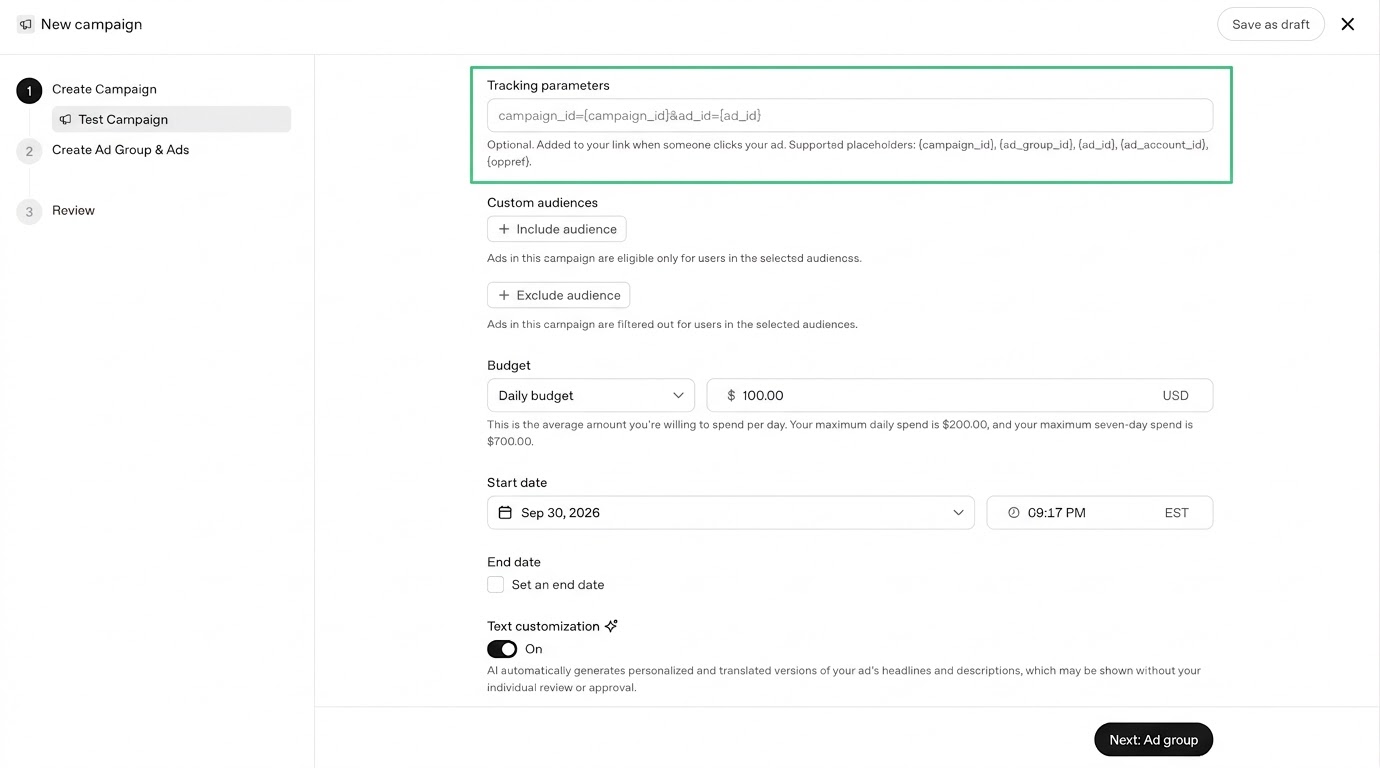
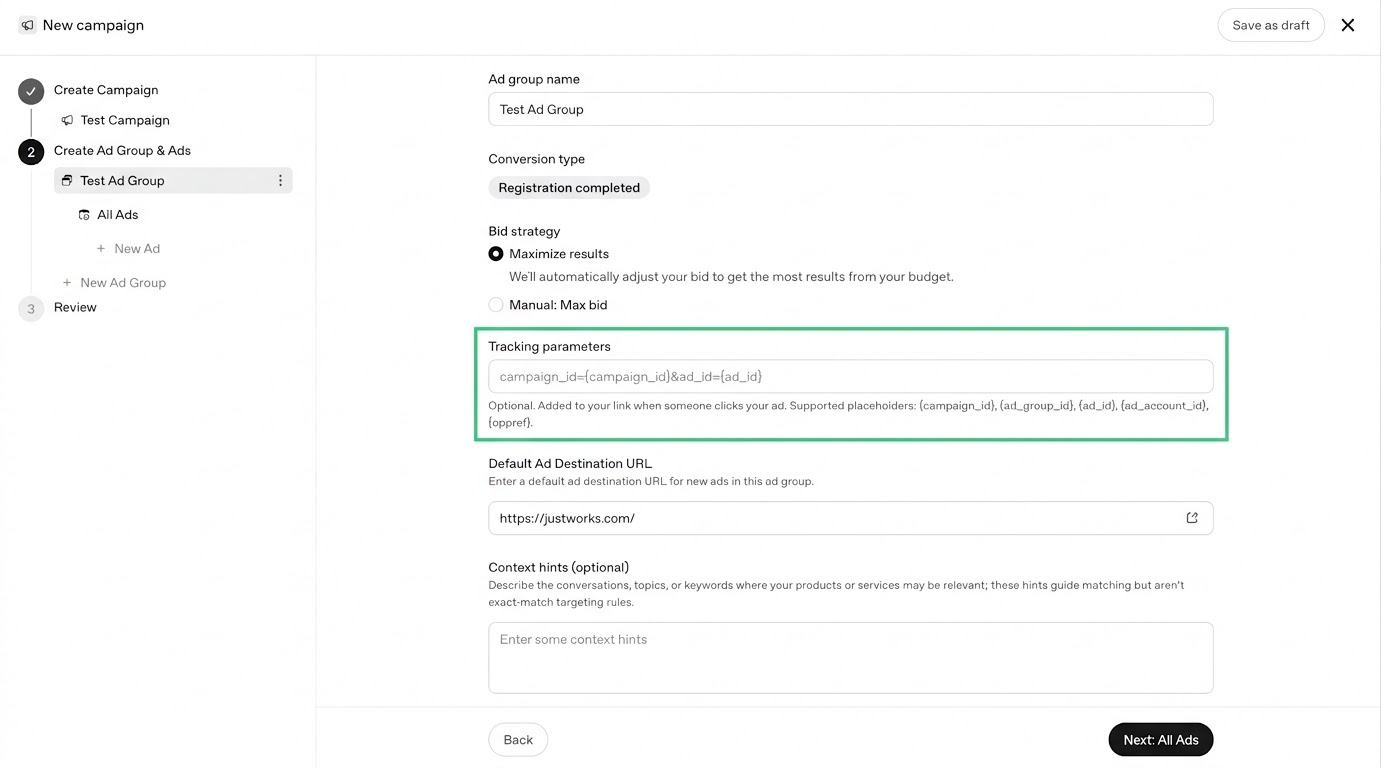
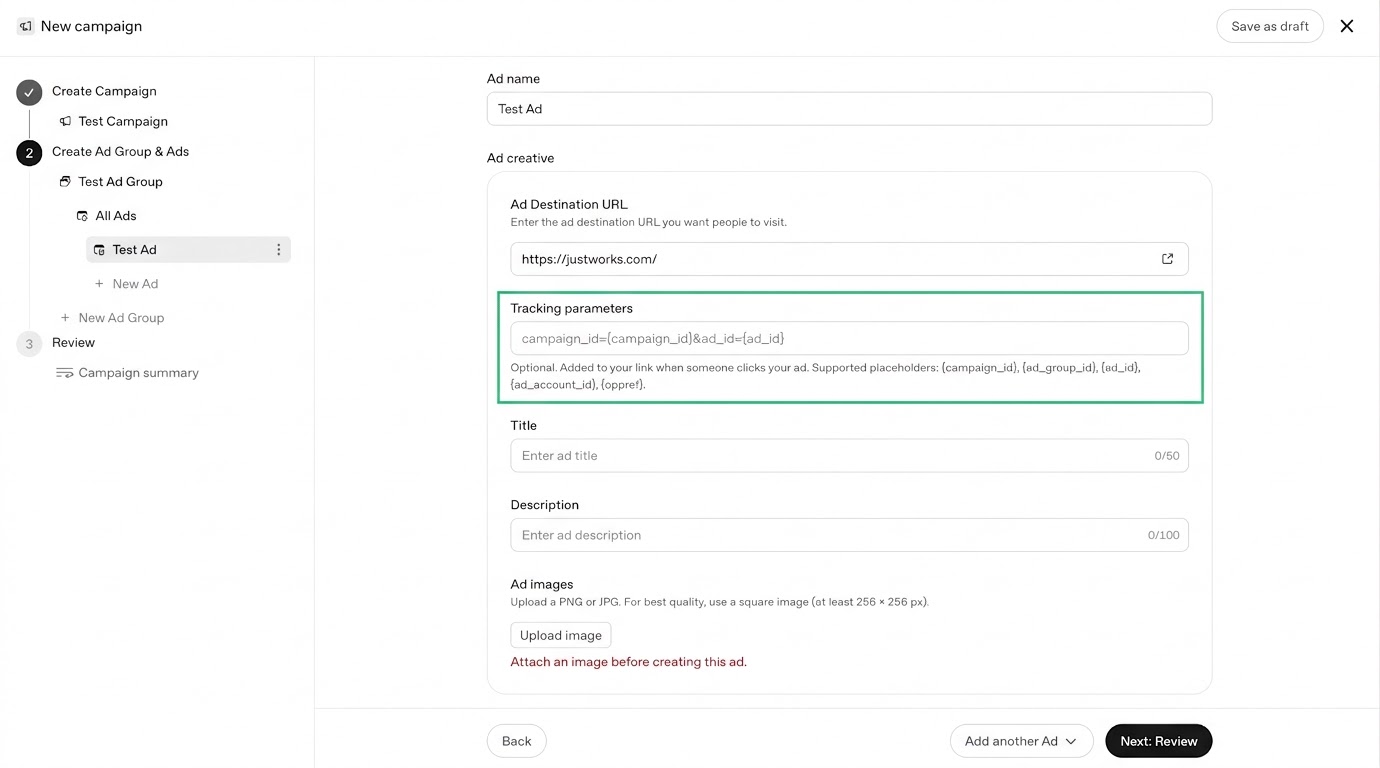
OpenAI provides three different ways for setting dynamic parameters: campaign, ad group, and ad windows. For advertisers, this means flexibility across the campaign hierarchy.
Broad parameters can be defined at the campaign level, while more specific parameters can be added or overridden at the ad group or ad level. It makes tracking easier to manage at scale while allowing granular measurement when required.
At the Campaign Level
At the Ad Group Level
At the Ad Level
How to track ChatGPT Ads on Google Analytics
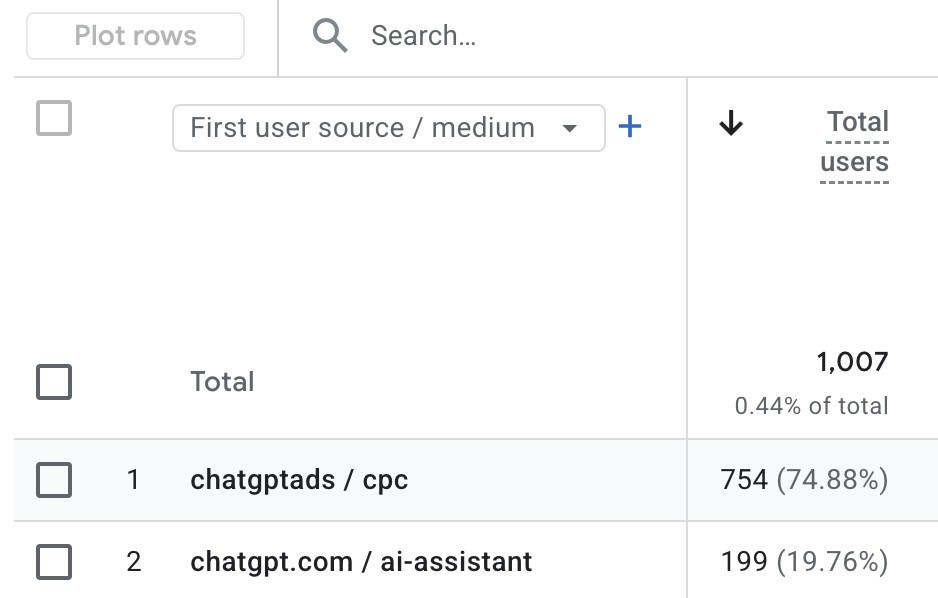
When ChatGPT Ads carry custom UTM parameters, GA4 can clearly separate paid traffic from organic ChatGPT traffic. In our testing, 92% to 96% of ChatGPT Ads clicks were recorded as paid sessions in GA4.
Paid and organic traffic land on separate rows: from Sep 14 to 28, ads generated 754 users attributed to chatgptads / cpc users, while organic ChatGPT generated 199 users attributed to chatgpt.com / ai-assistant users.
This makes UTMs a practical way to measure ChatGPT Ads traffic and downstream conversions independently in GA4.
Conversion Measurement
ChatGPT Ads provide two ways to track conversions: OpenAI Pixel and Conversions API (CAPI). We recommend using both together for more reliable measurement.
Pixel
The pixel is installed in your website's HTML head. Preferably near the top. Add only one Pixel setup script per page. It automatically picks up OpenAI click ID (oppref) from the landing page, stores it in a first-party cookie, and sends events back to the platform.
How to set up the Pixel
Go to https://ads.openai.com/ and click on the left menu: Tools>Conversions
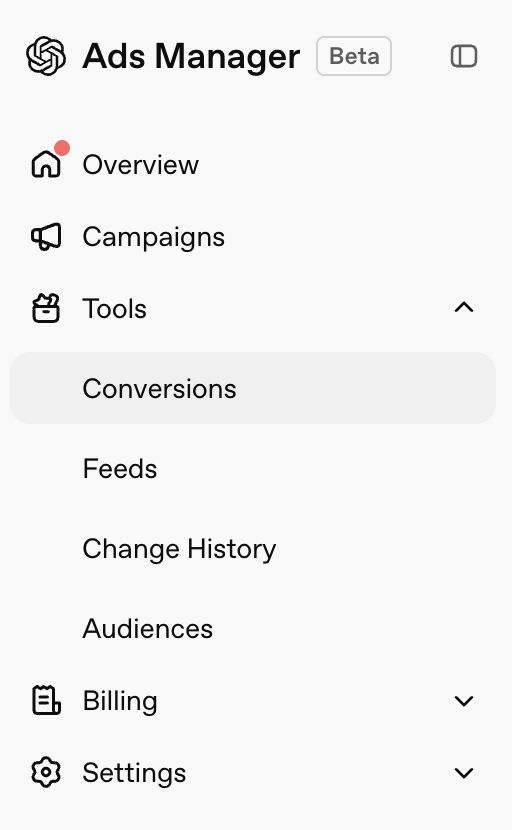
Click on the black button
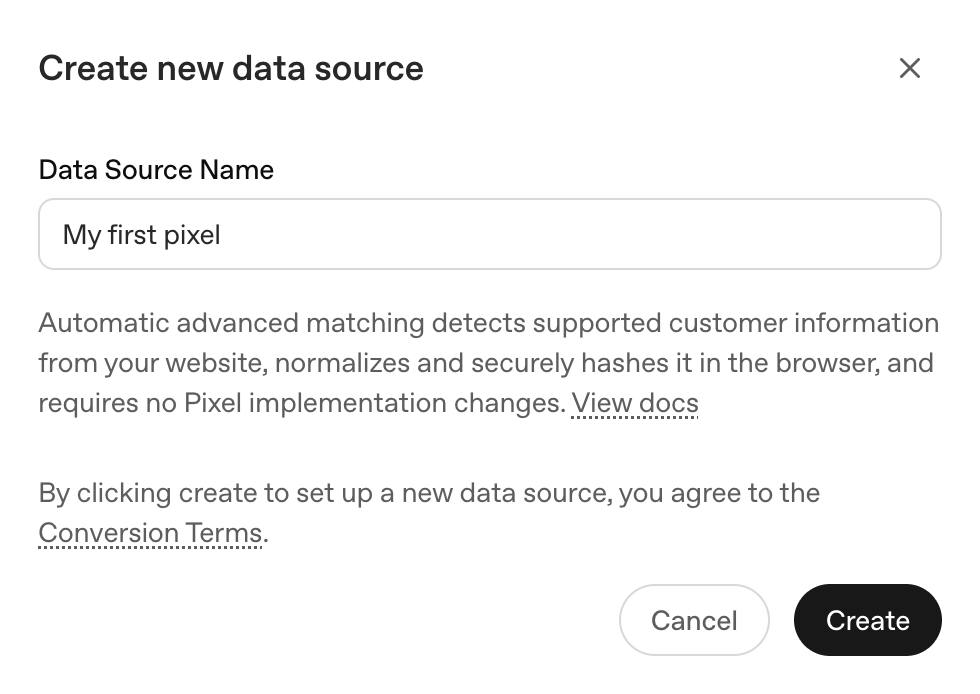
Write a name for the pixel and hit Create.
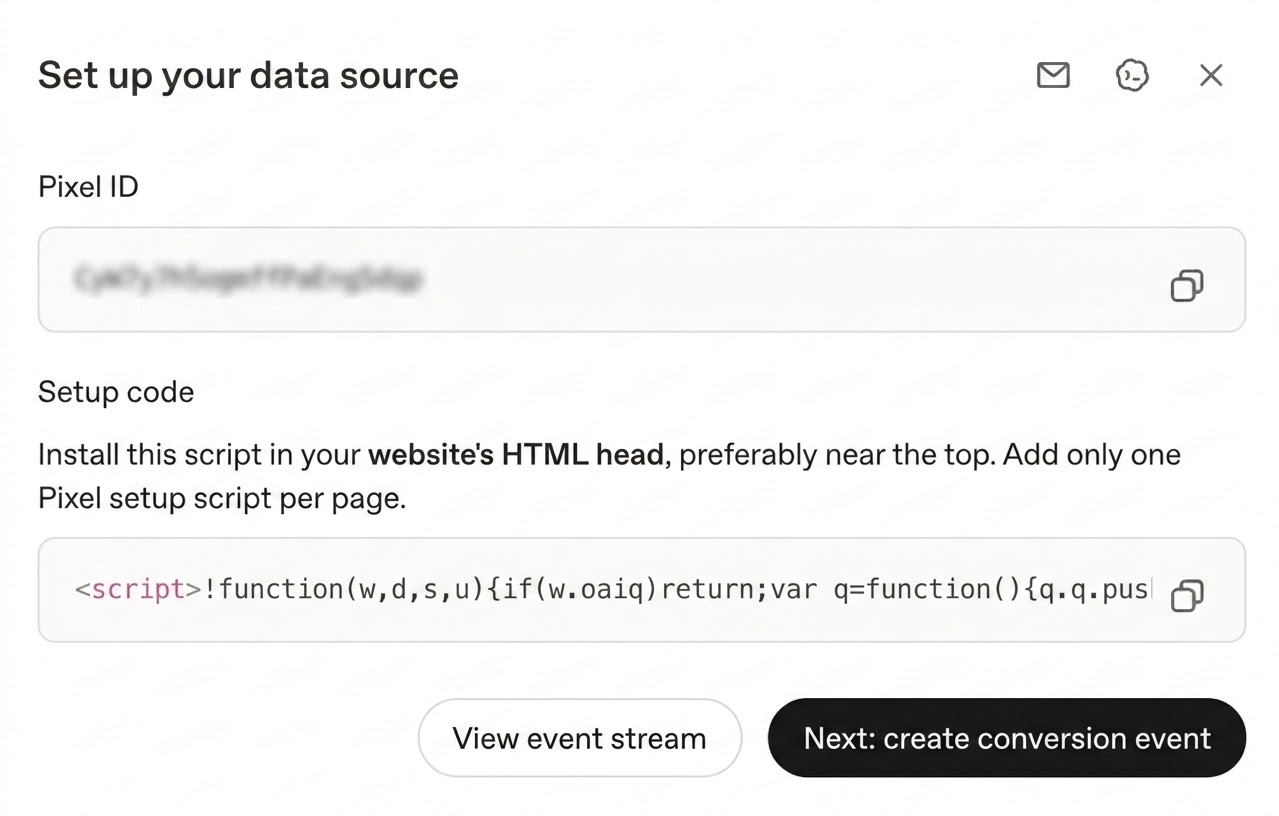
You have three options to continue the setup. Hit the mailbox icon and email your developer the install instructions. Hit the Codex icon and use ChatGPT Codex to support the install, or install the Pixel manually by setting up a new tag on Google Tag Manager using the provided script.
Conversions API
The Conversions API (CAPI) sends conversion events directly from the server to OpenAI, rather than relying only on browser-based tracking. This improves measurement when browser restrictions, ad blockers, and other factors affect Pixel tracking.
How to Set Up CAPI
- Create the OpenAI Pixel: Creating a Pixel is required before setting up the Conversions API (CAPI). The Pixel creates the data source and Pixel ID that your CAPI integration will use. Explained in the steps above.
- Get your Pixel ID and API key: Once the Pixel is created, get the Pixel ID on the Conversions page, click the Key icon and generate your Conversions API key. Your developer will need these credentials to connect your server to OpenAI.
- Connect your server to CAPI: Your developer uses the Pixel ID and API key to configure your server to send conversion events directly to OpenAI. Unlike the Pixel, CAPI works server-to-server and does not rely on a browser script.
- Choose and send your conversion events: Decide which actions you want to track, such as leads, signups, or purchases. When one of these actions happens, your server sends the event to OpenAI through CAPI.
- Include the OpenAI click reference: Send the oppref value with the conversion when available. This helps OpenAI connect the conversion back to the original ChatGPT Ads click.
Using Pixel and CAPI together
If you send the same conversion through both the Pixel and CAPI, use the same event ID. This allows OpenAI to recognize that both events represent the same conversion and avoid counting it twice.
Bottom Line
Tracking ChatGPT Ads begins with getting the traffic data right. Use Custom UTM parameters to clearly separate paid ChatGPT traffic from organic AI Assistant traffic in GA4. Use dynamic parameters when you need campaign, ad group, and ad-level detail.
OpenAI uses attribution windows and last-touch logic for ChatGPT Ads. No single measurement method tells the full story, so use GA4 and OpenAI Ads Manager together to get a more complete view of the channel’s performance and its role in the consumer journey.
Researchers
Carlos Romero is Director of Paid Media at Graphite.io. He has spent 12 years in performance marketing and eCommerce across Latin America and the US, working with brands including Samsung Electronics, Adidas, Victoria's Secret, Nestlé, Bath & Body Works, Panasonic, Reebok, Mercedes-Benz, Jeep, and Mitsubishi. At Samsung Electronics, he led digital media strategy across 15+ markets. He holds an MBA from EUDE Business School and a double BBA in Marketing and Professional Sales from Harding University.
Co-founder of Graphite, the research-driven growth agency behind work for Notion, n8n, and BetterUp. Angel investor in startups and venture funds including 500 Global, and previously a growth advisor to MasterClass. Published by IEEE for research on energy-efficient routing in optical networks at Alcatel-Lucent, now Nokia.
Read Full Bio